Setting up a tunnel between two different firewalls can be rather tricky at times. Here we’ll go over configuring a VPN with a SonicWall NSA 250 on 5.9.1.1-39 with a PFSense on 2.3.1-RELEASE-p5.
Let’s go over the config on the sonicwall first. On it, I only need to get to the DMZ network on the X2 interface. There are two networks on the PFSense side, so need to create two address objects and place them in a group.

Now with the address objects created, we can start on the VPN configuration. The Sonicwall has a static IP, the PFSense does not. It easier to get the tunnel up if we use domain names for the IKE IDs. I created a dynamic DNS name with NO-IP.org to use on the PFSense side.

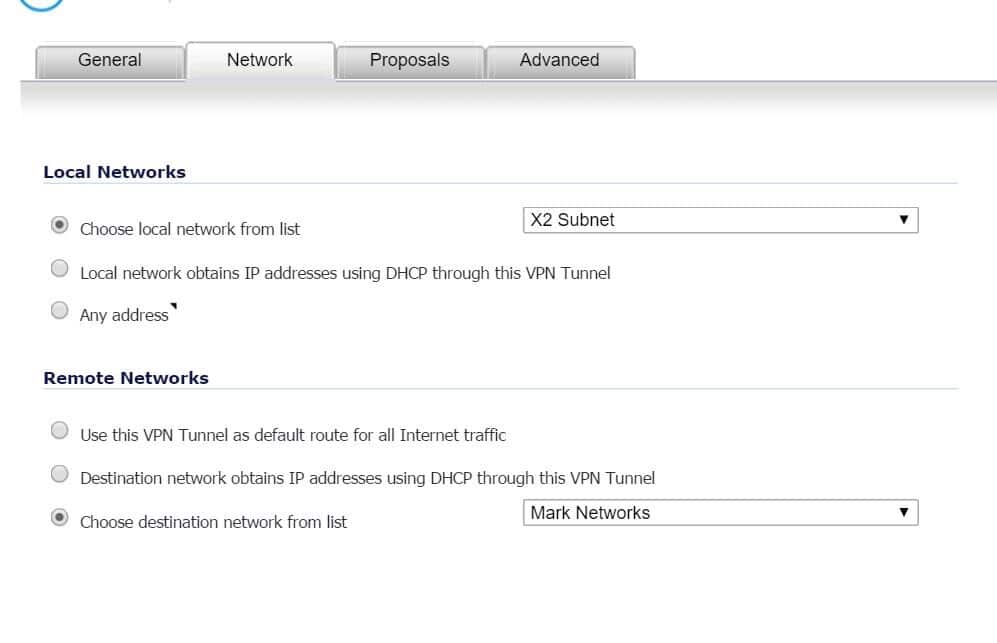
For the network config I select the network on the Sonicwall side for the local network which is the X2 subnet, and for the remote networks, I select the address object group.
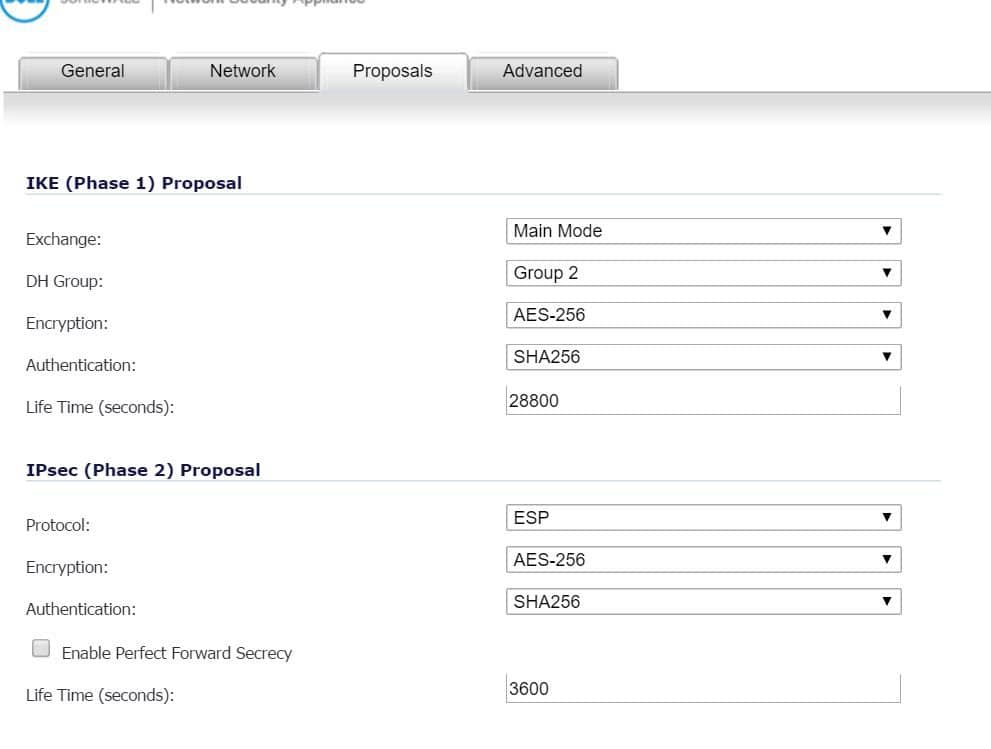
IKE proposals and lifetimes for the phase1 and phase2 policies on both sides need to match.
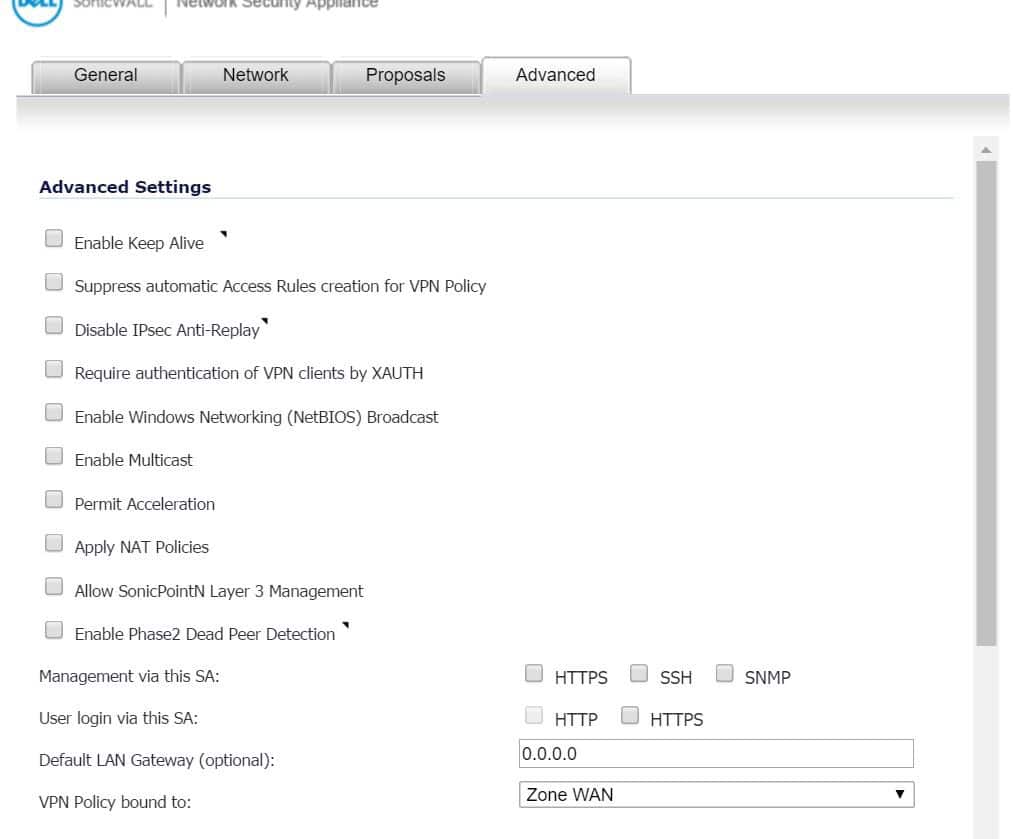
On the advance tab just leave at default.
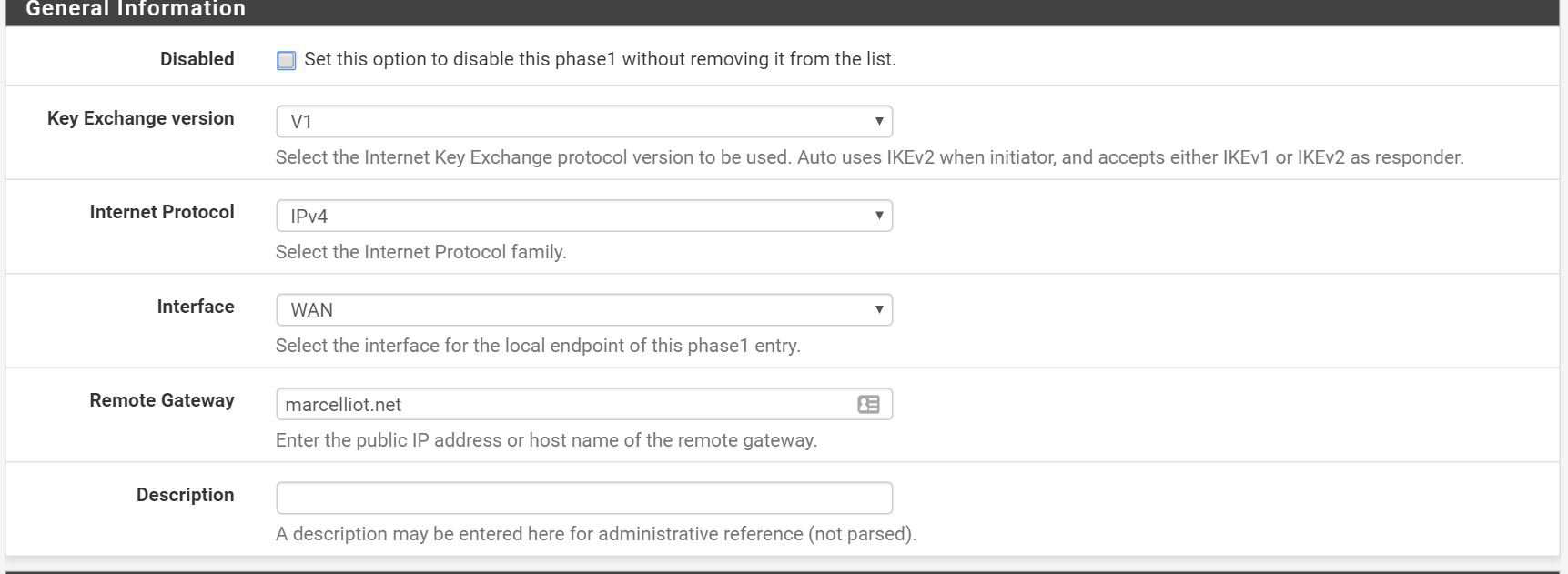
Now on the PFSense side you create a phase1 policy then phase2 policies for the 2 local networks.

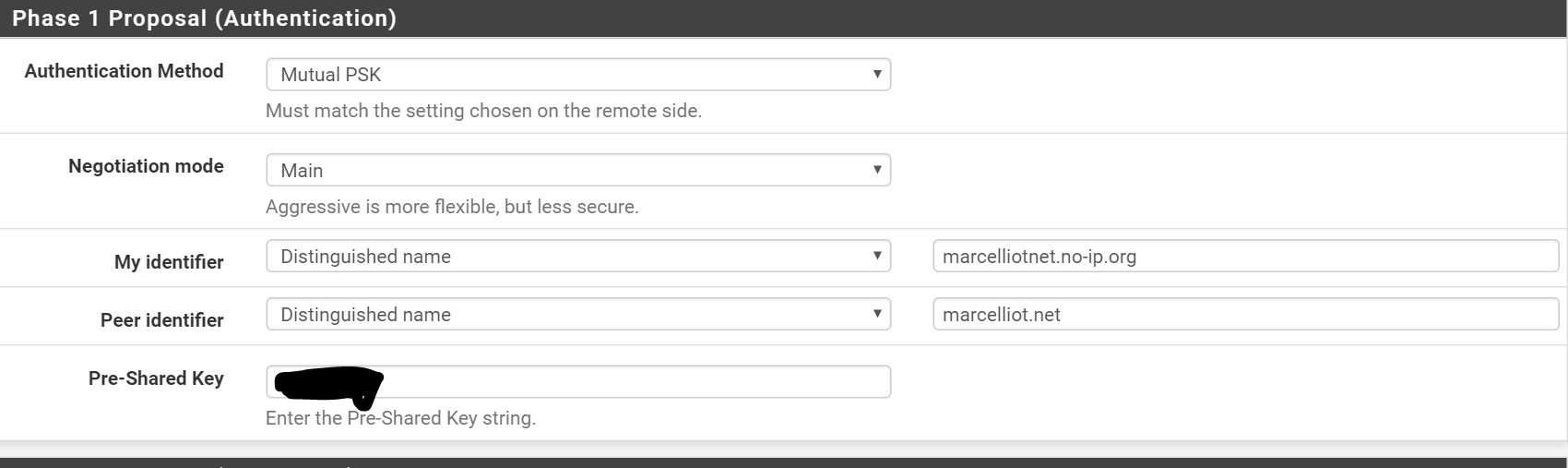
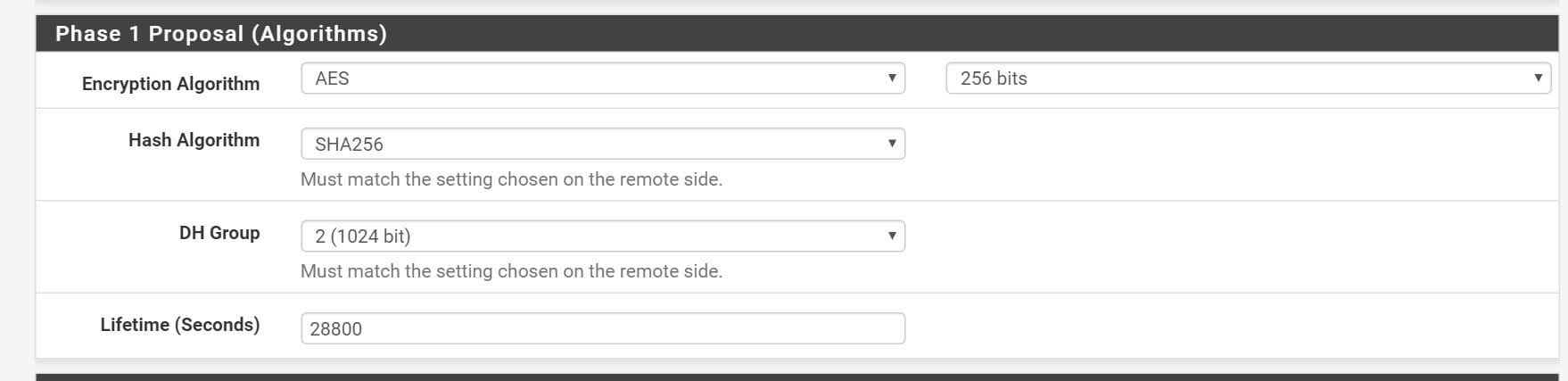
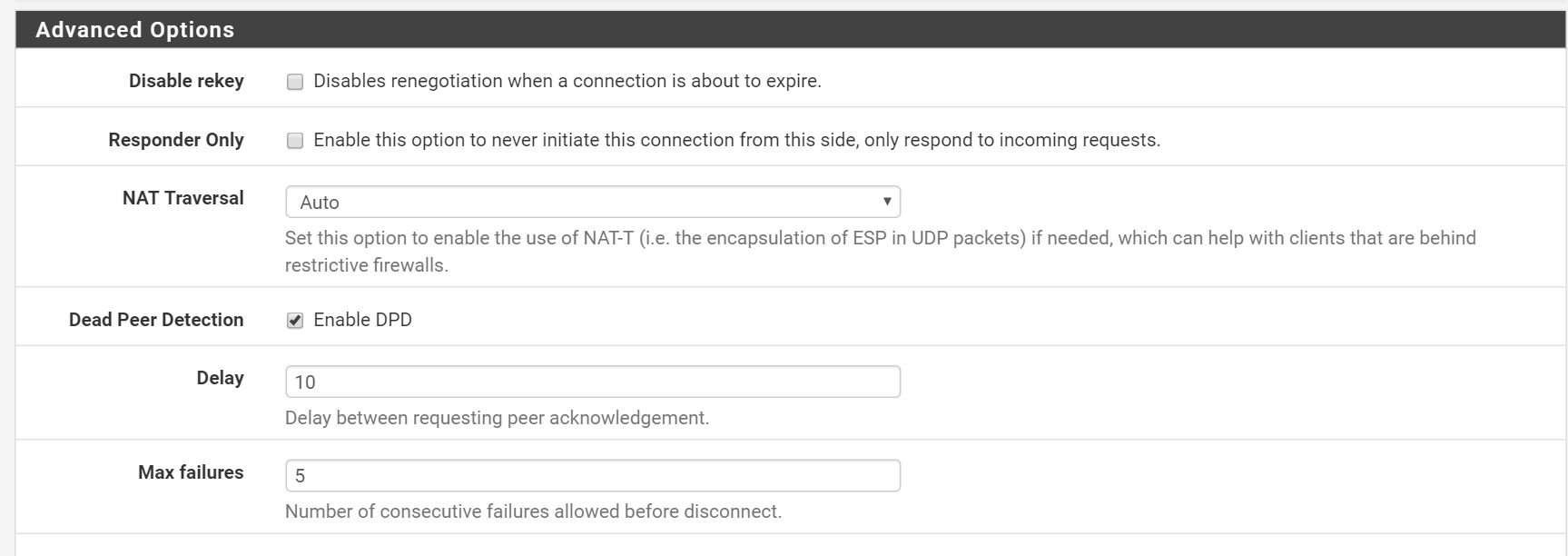
Next, create a phase2 policy.
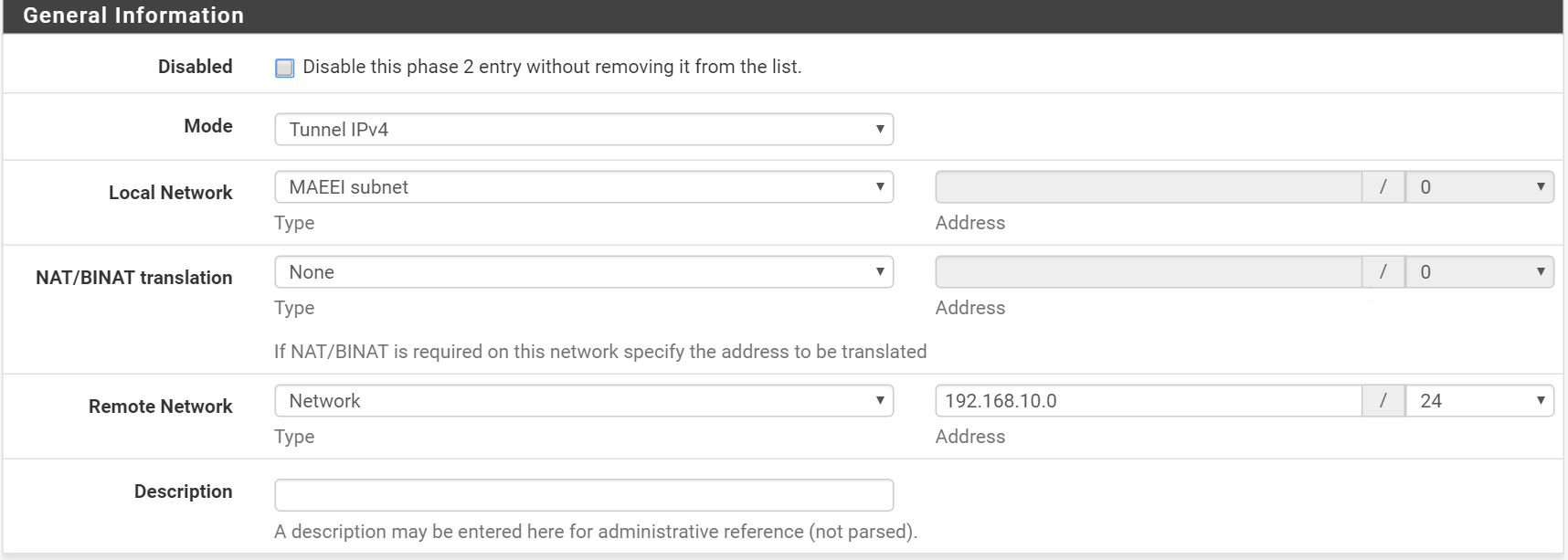
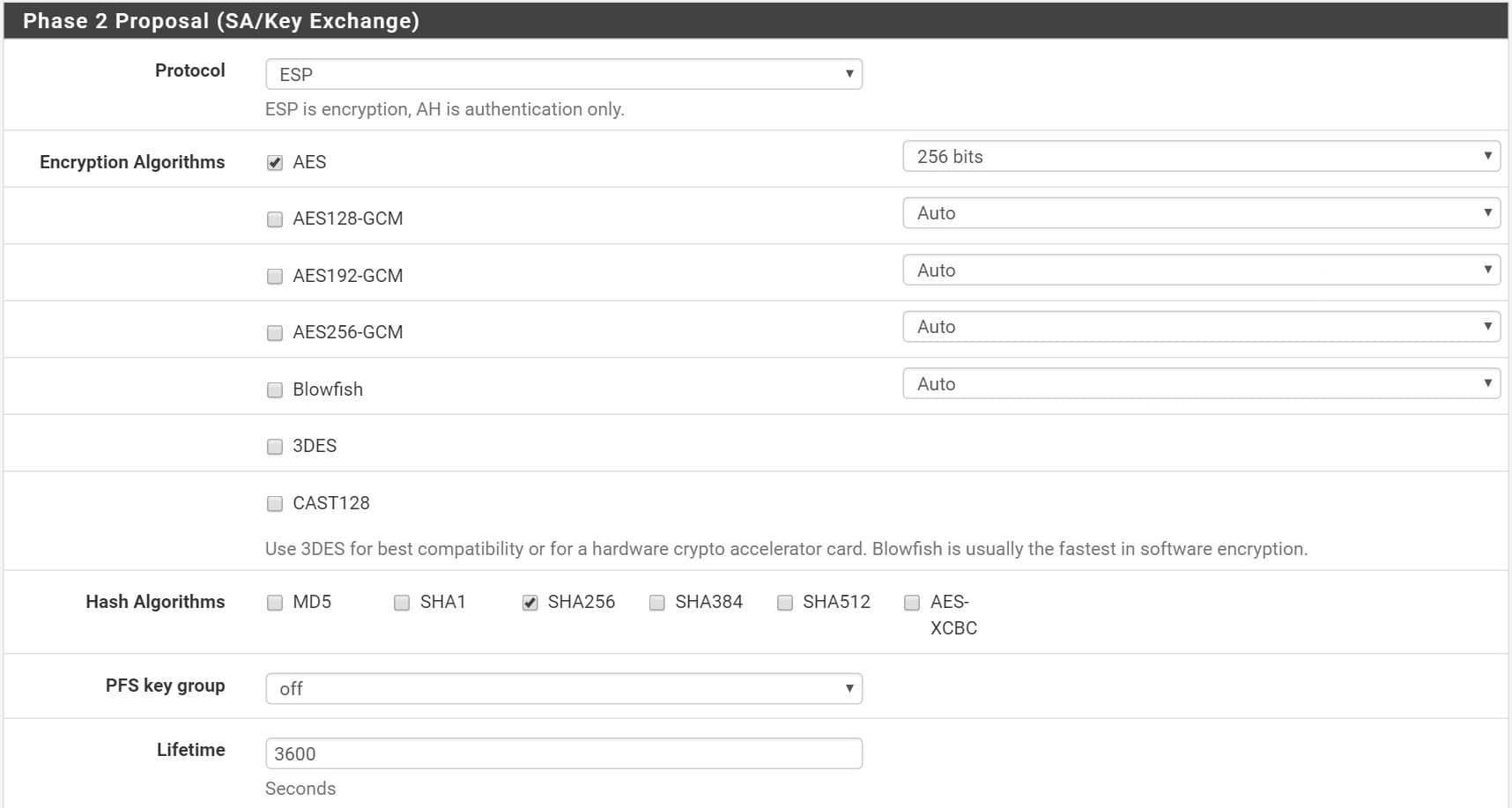
I enter in a host on the sonicwall side for the PFsense to ping to keep the tunnel up.

Now with any luck you should have green dots.
