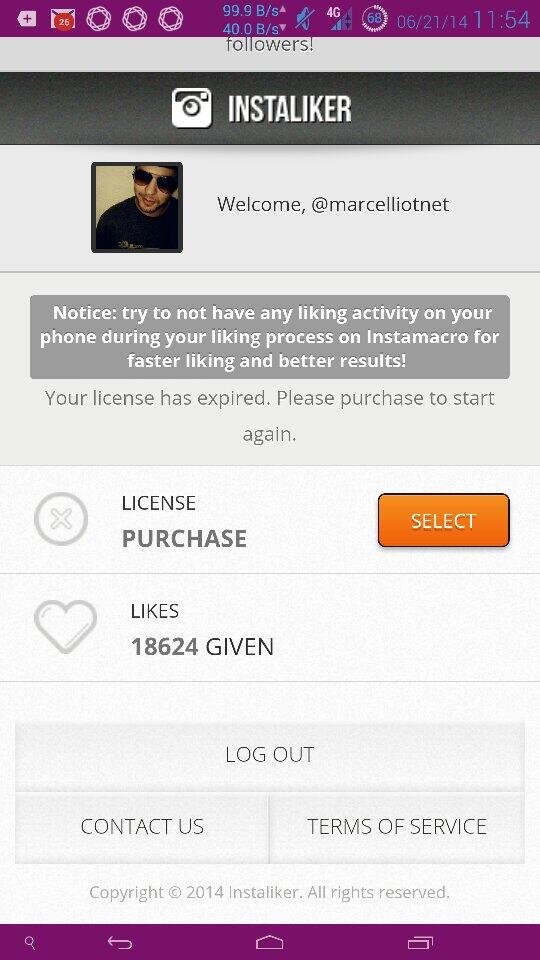
One day I stumbled across Instaliker.net It’s pretty much an Instagram bot that takes over your account, which you configure it with hashtags for the bot to go out and find pictures and profiles based on those tags. The site came with a free 3 hour trial, so i thought i would be it a shot. Just in those three hours, I think i gained 100 something followers and 500 likes. Then again my bot did go out and like probably 1500 pictures and followed maybe 600 accounts.
Instaliker.net came with different packages for how long you could rent the bots for. I choose 10 days for like 25 bucks I think. There is different settings of how aggressive the bot will work. I kept it about medium, but my phone started blowing up. I could hardy use it with all the instagram notifications I kept getting. By the end with the first night with the bot, I think I had around 300 new followers and 1500 liked photos, but i followed around 2000. Needless to say after all this was over my instagram account was filled with crap. I downloaded justUnfollow and used that to help me clean up my IG account. After the time with the bot ran out I had about 2300 follows but i followed 6500 or whatever the max is that intsagram allows you to follow. Then I needed clean up my account really bad. I was following shit and did not enjoy looking at my instagram anymore. I pretty much just used JustUnfollow to unfollow everyone that wasn’t following back and i would manually unfollow peoples with crappy pictures, mostly dudes with creepy selfies.
All in all, after I cleaned my up account i’m now following 1085 and have 1947 followers. For a normal person like me, I would not recommend doing this. If you have a company or trying to self promote then go for it, its a helpful tool of trying to get out there. It just drains the shit out of your battery with all the notifications you keep getting. Famous people must just have to turn those shits off.